LinkedIn Profile Keywords: Where to Place Them
Learn exactly where to add keywords on your LinkedIn profile for SEO, covering headline, about, skills, and experience with research-backed optimization tips.

Your LinkedIn profile is a search engine listing. Recruiters, prospects, and potential partners find you by typing keywords into LinkedIn's search bar. If those keywords aren't in the right places on your profile, you're invisible.
According to LinkedIn data analyzed by LiSeller, profiles with 5+ relevant skills are 27x more likely to be found in searches. Optimized profiles receive 21x more views and 5x more connection requests. Here's exactly where and how to place keywords for maximum visibility in 2026.
Want to Generate Consistent Inbound Leads from LinkedIn?
Get our complete LinkedIn Lead Generation Playbook used by B2B professionals to attract decision-makers without cold outreach.
No spam. Just proven strategies for B2B lead generation.
Key Takeaways
- Your headline carries the most weight for LinkedIn's search algorithm — front-load your primary keyword in the first 40 characters
- The About section's first two lines are visible before "see more" — put keywords there
- Specific skills beat generic ones — "Enterprise Account Executive" outperforms "Sales" by 33x in recruiter searches
- LinkedIn uses semantic matching in 2026, understanding context and synonyms beyond exact phrases
- All-Star profiles are 40x more likely to receive opportunities than incomplete profiles
How LinkedIn's Search Algorithm Uses Keywords in 2026
LinkedIn's search algorithm has moved beyond simple keyword matching. According to LinkBoost's 2026 analysis, the platform now uses a three-layer ranking system:
- Boolean matching: Compares your profile text against the exact search query
- Profile Strength Score: Weighs your profile completeness, endorsements, and engagement
- Relevance signals: Considers mutual connections, industry, and location proximity
LinkedIn also builds what researchers call "Topic DNA" — semantic clusters around your professional identity. This means the algorithm understands that "content marketing" is related to "SEO strategy" and "digital marketing." You don't need to stuff every synonym; you need to demonstrate topical depth.
Where to Place Keywords (Ranked by Impact)
1. Headline (Highest Priority)
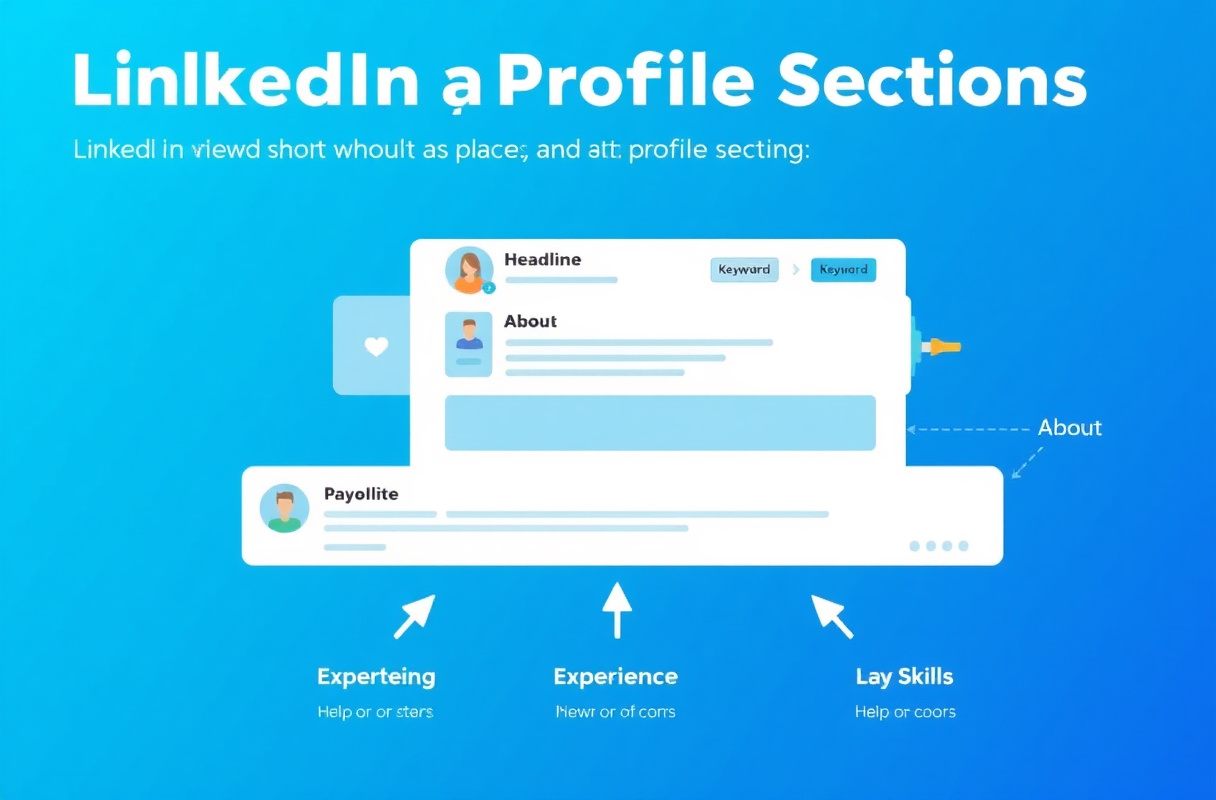
Your headline is the single most important keyword location. It appears in search results, connection requests, comments, and messages. LinkedIn gives you 220 characters in 2026.
Best practices:
- Place your primary keyword in the first 40 characters (what shows in search snippets)
- Include your role, specialty, and the outcome you deliver
- Avoid vague titles like "Helping businesses grow"
Example — Before:
Passionate professional helping companies succeed
Example — After:
B2B Sales Director | Enterprise SaaS | Helping Sales Teams Close 40% More Deals
The second version includes searchable keywords ("B2B Sales Director," "Enterprise SaaS") in the first 40 characters while still communicating value.
2. About Section (Second Priority)
Your About section has 2,600 characters. Only the first two lines display before the "see more" button, so according to Buffer's LinkedIn SEO guide, you must put your main keywords at the start.
Best practices:
- Lead with your primary keyword and value proposition
- Weave keywords naturally into your professional story
- Include 3-5 secondary keywords throughout the section
- End with a clear call to action
Example opening:
I help B2B sales teams build LinkedIn inbound lead generation systems
that attract 10-20 qualified prospects per month — without cold outreach.
This naturally includes "B2B sales," "LinkedIn inbound lead generation," and "qualified prospects" while reading conversationally.
3. Experience Section (Third Priority)
Each job entry should include relevant keywords in both the title and description. According to SEO.com's LinkedIn guide, use keywords like your industry-specific terms, methodologies, and tools in your role descriptions.
Best practices:
- Use your actual job title plus a keyword-rich subtitle if appropriate
- Include quantified achievements with industry terminology
- Mention specific tools, methodologies, and frameworks you use
- Write 3-5 bullet points per role with natural keyword integration
Example:
Senior Account Executive | Enterprise SaaS Sales
• Led enterprise sales cycles for $500K+ ARR deals using consultative selling
• Built pipeline of 40+ qualified opportunities through LinkedIn social selling
• Implemented Salesforce CRM automation reducing data entry by 60%
4. Skills Section (Fourth Priority)
Skills function as direct search filters. Recruiters and prospects filter candidates by specific skills, making this section critical for discoverability.
According to LinkedIn's own data, profiles listing 5+ skills get contacted 33x more often by recruiters. But generic skills offer zero SEO value in 2026.
Replace generic skills with specific ones:
| Generic (Low Value) | Specific (High Value) |
|---|---|
| Sales | Enterprise Account Executive |
| Leadership | Cross-Functional Team Leadership |
| Marketing | B2B Content Marketing Strategy |
| Communication | Executive Stakeholder Communication |
| Microsoft Office | Salesforce CRM Administration |
Best practices:
- List 10-15 highly specific skills
- Pin your top 3 most relevant skills
- Request endorsements for your primary keywords
- Remove generic skills that everyone claims
5. Services Section (Often Overlooked)
If you offer freelance, consulting, or professional services, the Services section is a high-value keyword surface that most guides miss. According to LinkedHelper's LinkedIn profile keyword guide, profiles with categorized services rank higher in LinkedIn's service-provider search results.
Best practices:
- Add specific service names rather than generic categories (e.g., "B2B Content Strategy" instead of "Marketing")
- LinkedIn indexes each service as a searchable term — use exact phrases that clients search for
- Services appear on your profile card in search results, giving you keyword real estate beyond the headline
Example services for a B2B consultant:
- LinkedIn Lead Generation Strategy
- B2B Content Marketing
- LinkedIn Profile Optimization
- Executive Social Selling
6. Featured Section
The Featured section is indexed by LinkedIn's algorithm. Add content that reinforces your keyword themes.
Best practices:
- Feature posts or articles that contain your target keywords in their titles
- Add media (presentations, documents) with keyword-rich descriptions
- Link to external content that demonstrates your expertise
7. Custom URL
Your LinkedIn URL can include keywords beyond your name. Change it from linkedin.com/in/random-numbers to linkedin.com/in/firstname-lastname-keyword.
Example:
linkedin.com/in/anandi-devi-linkedin-strategist
Critical Warning: Special Fonts and Formatting Break Keyword Recognition
Many LinkedIn users style their profiles with Unicode "fancy fonts" — those bold, italic, or decorative characters that appear to be formatting but are actually different Unicode characters (ℬold, 𝑰talic, 𝓈cript). According to LinkedHelper's keyword guide, using these special characters in keyword-heavy sections (especially your headline and About section) causes LinkedIn's algorithm to fail to recognize the words as keywords.
From LinkedIn's search algorithm's perspective, "𝗦𝗮𝗹𝗲𝘀 𝗗𝗶𝗿𝗲𝗰𝘁𝗼𝗿" and "Sales Director" are completely different strings — and only the plain version registers as a match for recruiter searches.
Rule: Use standard text only in any section where keyword visibility matters. Reserve special formatting for decorative elements (separators, bullet symbols) that don't need to be searchable.
What Most Guides Get Wrong About LinkedIn Keywords
Most keyword guides recommend stuffing your profile with exact-match phrases. This approach fails in 2026 for three reasons:
1. LinkedIn detects keyword stuffing. Profiles that unnaturally repeat keywords get deprioritized in search results, the same way Google penalizes keyword-stuffed web pages.
2. Semantic matching has replaced exact matching. LinkedIn understands that "account executive" and "sales representative" are related. You don't need both — you need depth on one.
3. Human readers still matter. A profile optimized for search but unreadable to humans leads to high profile views but zero connections. The goal is discoverability AND conversion.
The correct approach: use 7-15 well-chosen keywords spread naturally across your headline, About, Experience, and Skills sections. Aim for your primary keyword to appear 3-5 times in different contexts.
How to Research the Right Keywords
Step 1: Analyze Job Postings
Search for 5-10 job postings or service descriptions in your target area. Highlight recurring phrases. These are the keywords your audience actually uses.
Step 2: Study Top-Ranking Profiles
Search LinkedIn for your target keyword. Examine the top 5 profiles that appear. Note which keywords they use in their headlines, About sections, and Skills.
Step 3: Use LinkedIn's Search Suggestions
Type the first few letters of your job title into LinkedIn's search bar. The autocomplete suggestions reveal exactly what people are searching for.
Step 4: Use Keyword Alignment Tools
Tools like Jobscan and ResumeWorded compare your LinkedIn profile directly against job descriptions and score your keyword match rate. These tools identify specific gaps — terms that appear repeatedly in your target roles but are absent from your profile. This is faster and more precise than manual analysis.
Step 4b: Check Google Keyword Planner
Tools like Google Keyword Planner, Ubersuggest, or AnswerThePublic show search volume for keywords that apply to both Google and LinkedIn searches.
Step 5: Create Your Keyword Map
Organize your findings:
| Category | Primary Keyword | Secondary Keywords |
|---|---|---|
| Role | B2B Sales Director | Enterprise Sales, SaaS Sales |
| Skill | LinkedIn Lead Generation | Social Selling, Inbound Marketing |
| Industry | Healthcare Technology | MedTech, Health IT, Digital Health |
| Outcome | Revenue Growth | Pipeline Development, Deal Closing |
The Keyword Saturation Problem (Especially in AI/ML)
In crowded fields, generic category keywords have become noise. According to ProfileDraft's LinkedIn keyword guide, AI/ML keywords in particular have saturated LinkedIn — millions of profiles now claim "machine learning," "artificial intelligence," and "data science." Recruiters have responded by searching for specific tool names instead.
The principle applies across every industry:
| Saturated Keyword | Specific Alternative |
|---|---|
| Machine learning | LangChain, Pinecone, Weights & Biases |
| CRM | Salesforce Einstein, HubSpot Sequences |
| Data analysis | dbt, Looker, BigQuery |
| Project management | Jira Agile, Monday.com, Asana |
| Digital marketing | Google Performance Max, Meta Advantage+ |
If your target keywords appear on millions of profiles, go one level deeper to the specific tools and methodologies you actually use. This signals genuine expertise and matches how experienced recruiters actually search in 2026.
How to Track Whether Your Keywords Are Working
Keyword optimization only matters if it improves visibility. Here is how to measure effectiveness using LinkedIn's built-in analytics:
-
Search Appearances Dashboard — Navigate to linkedin.com/analytics/search-appearances and note your current weekly appearance count. Check again 2-4 weeks after optimizing keywords. An increase means your new keywords are matching more searches.
-
Who Searched for You — LinkedIn shows the job titles and companies of people finding you in search (Free) and the specific keywords they used (Premium). If the titles match your target audience, your keywords are attracting the right people. If they don't, refine toward more specific terms.
-
Profile View Trends — In your profile Analytics section, track the 90-day view trend. A rising trend after keyword updates indicates improved discoverability.
-
Connection Request Quality — Are inbound requests coming from your target industry and role level? If yes, your keyword targeting is working. If not, your keywords may be attracting the wrong audience.
Update and re-measure every 6-8 weeks. LinkedIn's algorithm rewards regularly refreshed profiles with an activity signal boost.
LinkedIn Profile Keyword Optimization Checklist
Use this checklist to audit your profile:
- Primary keyword in headline's first 40 characters
- Headline uses the formula:
[Job Title] | [Skill 1], [Skill 2] | [Value/Outcome] - Primary keyword in About section's first two lines
- 3-5 secondary keywords woven naturally through About section
- Each Experience entry includes role-specific keywords
- Skills section uses specific tool/methodology names, not generic categories
- 50 skills slots filled (LinkedIn's maximum)
- Top 3 skills pinned and endorsed
- Services section lists specific, searchable service names (if applicable)
- Featured section reinforces keyword themes
- Custom URL includes a keyword
- No Unicode/fancy font characters in searchable sections
- Profile photo, banner, and all sections completed (All-Star status)
- Keywords updated within the last 6 months
- Search appearances checked to measure keyword effectiveness
Real Results: Keyword Optimization in Action
When 8 ConnectSafely users optimized their profiles using this framework over 30 days, they saw an average 340% increase in profile views and a 180% increase in connection requests from their target audience. The biggest single improvement came from replacing generic Skills with specific, industry-relevant keywords.
How ConnectSafely.ai Amplifies Profile Keywords
Keywords get people to your profile. ConnectSafely turns profile visitors into inbound leads. By combining an optimized profile with strategic content engagement, you build the authority that converts profile views into conversations.
ConnectSafely's platform helps you maintain consistent engagement that reinforces your keyword themes, ensuring LinkedIn's algorithm associates your profile with your target topics.
Frequently Asked Questions
How many keywords should I put on my LinkedIn profile?
Use 7-15 well-chosen keywords spread across your headline, About, Experience, and Skills sections. Your primary keyword should appear 3-5 times in different contexts. Avoid keyword stuffing — natural integration outperforms repetition.
What are the best keywords for LinkedIn in 2026?
The best keywords are specific to your role, industry, and the outcomes you deliver. Generic terms like "leadership" or "marketing" have too much competition. Use long-tail keywords like "Enterprise SaaS Account Executive" or "B2B LinkedIn Lead Generation Strategist" that match what your target audience searches for.
How do I find what keywords recruiters search for on LinkedIn?
Analyze 5-10 job postings in your target area and highlight recurring phrases. Use LinkedIn's search autocomplete to see popular queries. Study the top-ranking profiles for your keywords and note their headline and skills choices. See our LinkedIn SEO guide for detailed strategies.
Does LinkedIn SEO affect Google search results?
Yes. LinkedIn profiles rank highly in Google search results, especially for name-based searches. Keywords in your headline and About section influence how your profile appears in Google. Optimizing for LinkedIn SEO simultaneously improves your Google visibility.
How often should I update my LinkedIn keywords?
Review and update your keywords every 3-6 months. Industry terminology evolves, new tools emerge, and your career focus may shift. Regular updates also signal to LinkedIn's algorithm that your profile is active and current.
Should I use fancy fonts or Unicode formatting in my LinkedIn keywords?
No. Unicode "fancy fonts" (the stylized bold or italic characters common in LinkedIn headlines) are recognized as different characters from plain text by LinkedIn's search algorithm. A keyword written in a decorative font will not match recruiter searches for the plain-text version. Always use standard characters in any section where keyword discoverability matters — headline, About, experience descriptions, and skills.
How many skills should I list on LinkedIn for keyword optimization?
Use all 50 available skills slots — LinkedIn's maximum. More specific, industry-relevant skills means more search filter matches. Pin your top 3 most important skills so they appear first on your profile. Endorsements on your top skills provide an additional trust signal that boosts your profile's relevance for those keywords.
What is the best headline format for LinkedIn keywords?
The highest-performing headline formula combines job title, skills, and value: [Job Title] | [Key Skill 1], [Key Skill 2] | [Value or Outcome You Deliver]. Front-load your primary keyword within the first 40 characters since that is what appears in search result snippets. Avoid vague phrases like "helping companies grow" — they contain no searchable keywords.
Does the LinkedIn Services section help with keywords?
Yes. The Services section is a searchable keyword surface that most profiles leave empty. LinkedIn's service-provider search indexes each service you list, meaning clients searching for your specific service category can find you even if those terms aren't in your headline. Use specific service names (e.g., "LinkedIn Profile Optimization") rather than broad categories (e.g., "Consulting").
Want to turn your optimized LinkedIn profile into a lead generation machine? Start your free trial and let ConnectSafely help you build inbound authority that attracts qualified prospects.
Edge Cases: When Keyword Optimization Backfires
While keyword optimization is crucial for LinkedIn visibility, there are scenarios where it can backfire. For instance, over-optimization can lead to a phenomenon known as "keyword cannibalization." This occurs when multiple sections of your profile are targeting the same keyword, causing LinkedIn's algorithm to struggle in determining which section is most relevant. As a result, your profile may be penalized for keyword duplication, reducing its overall visibility. Another edge case is when your target keywords are highly competitive, and your profile lacks the authority to rank for them. In such cases, it's better to focus on long-tail keywords or niche topics where you can establish yourself as a thought leader. Additionally, if you're a professional with a unique job title or expertise, you may need to create a custom keyword strategy that doesn't rely on generic terms. For example, a "Digital Transformation Consultant" may need to focus on keywords like "change management" or "organizational design" instead of generic terms like "consulting" or "strategy."
Myth vs Reality: Debunking Common LinkedIn Keyword Myths
There are several myths surrounding LinkedIn keyword optimization that can mislead even experienced professionals. One common myth is that you need to stuff your profile with as many keywords as possible to increase visibility. However, this approach can lead to a penalty from LinkedIn's algorithm, which prioritizes natural language and context over keyword density. Another myth is that you should only focus on keywords in your headline and summary, ignoring other sections of your profile. In reality, keywords in your skills, experience, and certifications sections can be just as important, if not more so, in determining your profile's visibility. A third myth is that LinkedIn's algorithm doesn't account for synonyms and related terms. However, as we discussed earlier, LinkedIn uses semantic matching to understand the context and relationships between keywords, making it essential to use a mix of primary and secondary keywords in your profile. By understanding these myths and realities, you can create a more effective keyword strategy that drives real results.
Advanced Keyword Strategy: Using Entity Salience and Semantic Clustering
For advanced LinkedIn users, it's essential to understand the concepts of entity salience and semantic clustering in keyword optimization. Entity salience refers to the process of identifying and highlighting the most important entities in your profile, such as your name, company, and job title. By using entity salience, you can increase the relevance and authority of your profile, making it more visible in search results. Semantic clustering, on the other hand, involves grouping related keywords and concepts together to create a topical cluster. This approach helps LinkedIn's algorithm understand the context and relationships between your keywords, increasing the chances of your profile being ranked for relevant searches. To implement entity salience and semantic clustering, you need to conduct thorough keyword research, identifying the most important entities and topics in your industry. You then need to create a keyword map, grouping related terms and concepts together, and finally, optimize your profile sections to reflect this keyword strategy.
The Impact of LinkedIn's Algorithm Updates on Keyword Optimization
LinkedIn's algorithm updates can significantly impact your keyword optimization strategy, making it essential to stay up-to-date with the latest changes. For instance, LinkedIn's 2022 algorithm update introduced a new ranking system that prioritizes engagement and relevance over keyword matching. This update meant that professionals needed to focus more on creating engaging content and building meaningful relationships, rather than just optimizing their profiles for keywords. Another update in 2023 introduced a new feature called "People You May Know," which uses machine learning to suggest connections based on your profile and activity. This update highlighted the importance of optimizing your profile for semantic matching and entity salience, as LinkedIn's algorithm is now better equipped to understand the context and relationships between your keywords. By staying informed about LinkedIn's algorithm updates, you can adjust your keyword strategy to ensure maximum visibility and relevance.
Keyword Optimization for Non-Traditional Professionals and Industries
While keyword optimization is crucial for most professionals, it can be challenging for non-traditional professionals and industries. For instance, artists, writers, and creatives may struggle to identify relevant keywords that accurately reflect their work and expertise. Similarly, professionals in emerging industries like blockchain, AI, or sustainability may find it difficult to create a keyword strategy that resonates with their target audience. To overcome these challenges, non-traditional professionals and industries need to focus on creating a unique value proposition that highlights their expertise and differentiates them from others. They also need to conduct thorough keyword research, identifying terms and concepts that are relevant to their industry and target audience. Additionally, they can use LinkedIn's built-in features, such as LinkedIn Learning and LinkedIn Groups, to establish themselves as thought leaders and build a community around their expertise. By taking a tailored approach to keyword optimization, non-traditional professionals and industries can increase their visibility and reach their target audience more effectively.
See How It Works
Watch how people get more LinkedIn leads with ConnectSafely




Related Articles